

Hi Lebara team,
Just found a bug on the Roaming Rate Finder page that can lead customers to purchase the wrong roaming add-on for the United States.
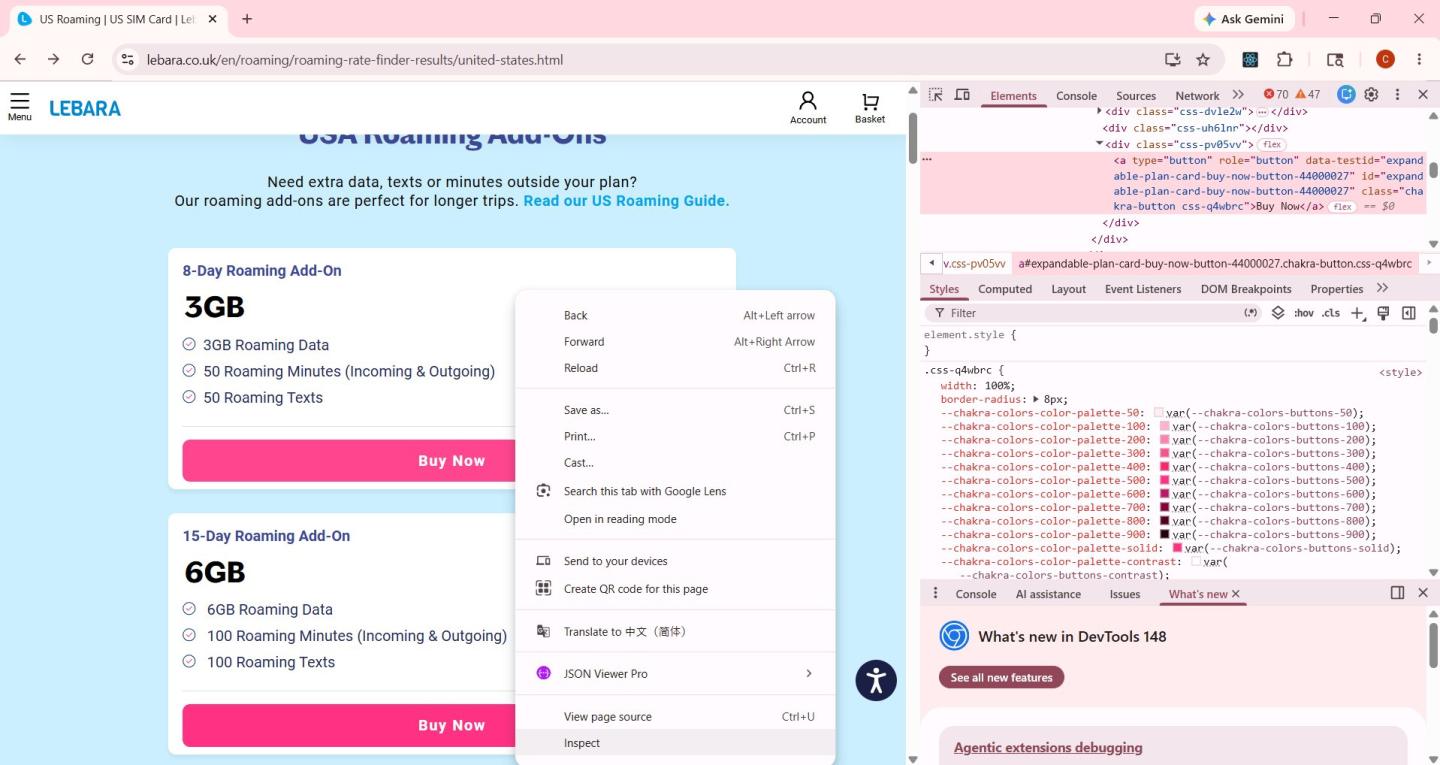
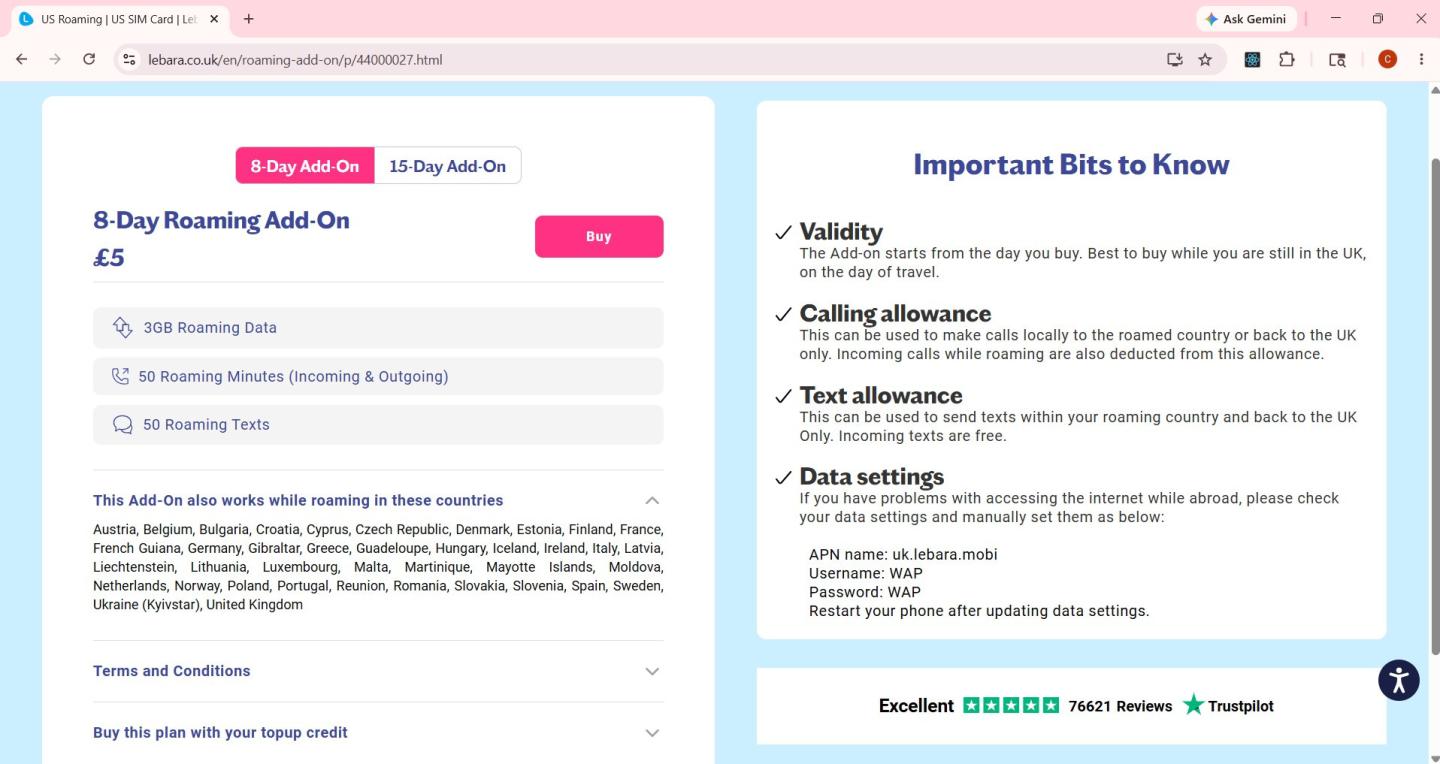
The button links to roaming add-on 44000027, which appears to be the EU roaming plan. The list of supported countries does not include the United States.
Path 2 (correct):
The button links to roaming add-on 44000029, which appears to be the correct roaming plan for the United States.
Just found a bug on the Roaming Rate Finder page that can lead customers to purchase the wrong roaming add-on for the United States.
Steps to reproduce
Path 1 (incorrect):- Go to the Roaming Rate Finder page.
- Click the United States (US) tile under the popular destinations section.
- You are redirected to:
/roaming/roaming-rate-finder-results/united-states.html - Click Buy Now.
The button links to roaming add-on 44000027, which appears to be the EU roaming plan. The list of supported countries does not include the United States.
Path 2 (correct):
- Go to the Roaming Rate Finder page.
- Select United States from the country dropdown.
- Click Continue.
- You are redirected to:
/roaming/roaming-rate-finder-results.html?country=United%20States - Click Buy Now.
The button links to roaming add-on 44000029, which appears to be the correct roaming plan for the United States.


Comment